

-
 Scanner
+
Scanner
+
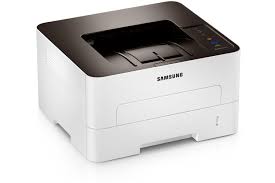
 ‹
‹ ›
›
Product Features
Save time with faster print speeds
Print up to 28 pages per minute with the 600MHz CPU. The Xpress Series Printer increases workflow, productivity and flexibility and its Cortex-A5
Core yields the highest speeds among comparable printers.

Specifications
General
- 600MHz Processor
- 128MB Memory
- Hi-Speed USB 2.0 / Ethernet 10 / 100 Base TX Interface
- 400 watts (Printing) / 45 watts (Standby) / 1 watt (Power Save) Power Consumption
- Noise Level: Less than 50dBA (Printing) / Less than 26dBA (Standby)
- 368.0 x 334.5 x 202.0mm (14.5" x 13.2" x 8.0") Dimension
- 7.4kg (16.4lbs) Weight
- Max. Monthly Duty Cycle: Up to 12,000 pages
Paper Handling
- 250-sheet Cassette
- Speed (Mono): Up to 28ppm in A4
- First Print Out Time (Mono): Less than 8.5 seconds (From Ready Mode)
- Resolution: 4,800 x 600dpi effective output
- Emulation: PCL6 / PCL5e / SPL
- Built-in Duplex Print
- OS Campatibility: Windows 8 / 7 / Vista / XP / 2000 / 2008R2 / 2008 / 2003, Mac OS X 10.5 - 10.8, Various Linux

Small-scale offices and businesses must streamline costs associated with printing without compromising productivity or quality. Samsung Xpress M2825ND provide small businesses the cost efficiency and performance they demand. With mobile printing and Easy Printer Manager software, these printers are designed for ease of use.
Save time with faster print speeds
Xpress M2825ND help reduce wait time for busy small-business owners by providing quicker printing for various documents. Even complex documents print at up to 28 pages per minute (ppm), powered by Samsung’s advanced 600MHz CPU and 128MB of memory. The Cortex-A5 Core supports speeds up to
25.6 percent higher than the previous model, yielding one of the highest speeds among comparable printers. This impressive speed can help companies increase workflow, productivity and flexibility.

Present a favourable impression with high-quality prints
Small businesses with limited resources can still create a big impact with professional-quality prints. Xpress M2825ND deliver sharp, clean prints for business documents with 4,800 x 600dpi effective resolution and Rendering Engine for Clean Page (ReCP) technology. These elements result in increased performance and quality in a small package. Quality-boosting features produce more detail, smoother images and clearer text.
High-resolution printing
With high-resolution print quality up to 4,800 x 600dpi effective, users can produce fine, detailed print output, even for small text and complex images.

Edge enhancement
Edge enhancement provides a delicate, polished edge for text and images, resulting in clearer text and more vivid images.

Produce more types of documents with support for heavy media
Busy small-business professionals can stay productive by using a variety of paper types with Xpress M2825ND. This small yet robust printer can handle up to 220 grams per square meter (gsm) media, which includes paper, labels, cards, envelopes and overhead projector (OHP) transparencies. This flexibility can help small businesses stay adaptable for various business needs. The paper types can be conveniently selected from the multipurpose (MP) tray.

Save toner and paper costs
with flexible printing options
Businesses can decrease toner and paper costs simply with One-Touch Eco button features that help companies limit the amount of resources needed to perform printing operations. One-Touch Eco button enables to employ
N-up and duplex printing to print multiple document pages on a single sheet, skipping blank pages to reduce the amount of paper used. Toner save mode also reduces supply costs by decreasing toner use.


N-up print
Two or more document pages on one sheet to reduce paper use.
Toner save mode
Prints with less toner to reducetoner use.

Duplex printing
Prints on both sides of paper to reduce paper use.** Available on Duplex Printing
supported models only.

Skipping blank pages
Prints only pages with text or images to avoid paper waste.Decrease energy usage and TCO
with the Easy Eco Driver
The Easy Eco Driver delivers cost savings of toner and paper up to 20 percent while decreasing energy consumption. This feature enables users removing images, bold type fonts which require high toner consumption, or to lighten texts to save toner. Users can also preview and edit the document before printing. With the Eco Simulator, users can see the estimated reduction percentage of CO2, electricity, and paper use with the selected settings. This feature was given the 2012 Out-standing Achievement in Innovation award by BLI. These elements combine to reduce TCO.


Keep costs down with economical
separated toner system
Samsung’s first separated toner system for mono printers are sold with the toner cartridge and imaging unit as separate units, so users need only purchase the toner cartridge or imaging unit separately as needed. High-yield separated toner system reduces TCO by decreasing the amount of materials needed to operate the printer. The toner cartridges feature enhanced capacity for achieving optimal CPP depending on each company’s average monthly print volume (AMPV) requirements. They are straightforward to install, so employees can spend less time on this task. With this toner options, companies can meet print and budget requirements.

Monitor printer functions with
convenient printer manager
With the Samsung Easy Printer Manager, users can manage device status, settings, supply ordering and faxing from one location. This management tool features status monitoring and error reporting for the device itself and the supplies. It also allows users to manage device settings remotely. Advanced functions include job accounting so companies can track usage for various projects, and monitor event logs and alerts. These functions provide a single interface to Samsung printing device settings and applications.


Duplex printing

Network connectivity
Port Infomation


